Failed Payment Email Templates That Win Cards Back
By RevRescue team · · 7 min read
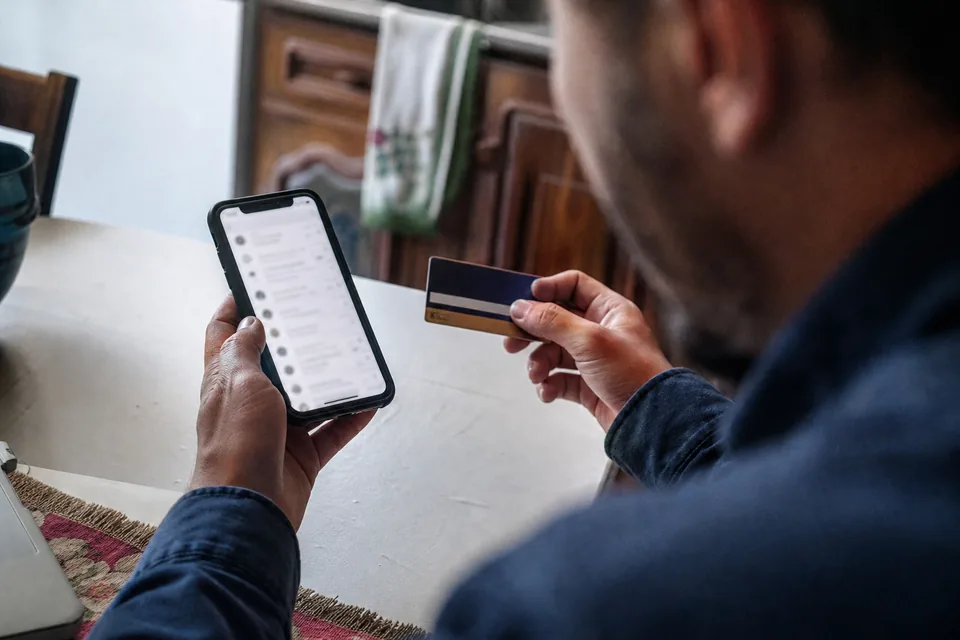
A good failed payment email is short, calm and specific: it says the payment did not go through, explains what the customer keeps or loses, and gives one button to update the card. Below are six templates covering a full dunning sequence, ready to adapt and send.
These emails are part of dunning, the process of recovering a payment after it fails. Retries and card updaters do a lot of the work quietly, but sooner or later a customer has to act, and the email is usually what prompts them. A plain, well timed message can recover a large share of the payments that retries alone miss.
If you use Stripe, you may already have its built-in failed payment emails switched on. They are a sensible start, and we cover what they do and do not handle further down. The templates here are written to work with any billing platform.
What makes a failed payment email work
Before the templates, the principles. Almost every high performing dunning email follows the same five rules.
- Lead with the fact, not an apology. "Your payment for RevRescue did not go through" is clear. Three lines of "we are so sorry to bother you" are not.
- Assume it is an accident. Most failures are expired cards or bank declines. Write to a customer who wants to stay, because they usually do.
- One action, one button. "Update payment method", linking straight to a secure page where the card form is already open. No login if you can avoid it.
- Say what happens next and when. "We will try again on Friday" or "Your account stays active until 18 October" removes guesswork.
- Send it from a person and accept replies. A real reply address catches customers who want to switch plans or ask a question instead of leaving silently.
The sequence at a glance
| When to send | Goal | Tone | |
|---|---|---|---|
| 1. Payment failed | Within an hour of the first failure | Inform, offer quick fix | Neutral, helpful |
| 2. Friendly reminder | Day 3 | Catch people who missed email 1 | Light |
| 3. Access at risk | Day 7 | Make the consequence clear | Direct |
| 4. Final notice | Day 12 to 14 | Last chance before pause | Firm, still polite |
| 5. Account paused | When access ends | Easy way back | Warm |
| Bonus. Card expiring soon | 30 and 7 days before expiry | Prevent the failure | Helpful |
Adjust timing to your retry schedule. Ideally each email follows a retry that did not succeed, so you are never asking the customer to fix something that already fixed itself.
Template 1, payment failed
Subject line options
- Your payment for [Product] did not go through
- Action needed to keep your [Product] account active
Body
Hi [First name],
We tried to charge your card ending in [1234] for your [Plan] plan ([amount]) today, and the payment did not go through. This usually happens when a card has expired or the bank declined the charge.
Your account is still active. You can update your payment details in under a minute here.
[Update payment method]
We will try the charge again on [date]. If you have any questions, just reply to this email.
[Name], [Product]
Why it works: it names the card, the amount and the plan, so there is nothing to look up. It tells them nothing is broken yet.
Template 2, friendly reminder
Subject line options
- Quick reminder about your [Product] payment
- Still having trouble with your card?
Body
Hi [First name],
Just a quick note that we still could not process the [amount] payment for your [Product] subscription.
If your card has changed, updating it takes a moment.
[Update payment method]
If you would rather switch to a different plan or pay another way, reply and we will sort it out.
Why it works: short enough to read in a notification preview, and it offers an alternative to leaving.
Template 3, access at risk
Subject line options
- Your [Product] access will pause on [date]
- Please update your card to keep [key feature]
Body
Hi [First name],
We have tried a few times to collect your [amount] payment, without success. To keep things running, please update your payment method before [date].
If we cannot collect payment by then, your account will be paused. Your data stays safe, but [specific loss, for example "scheduled reports will stop" or "your team will lose access"].
[Update payment method]
Why it works: it names a real, specific consequence instead of a vague threat. People act on concrete losses.
Template 4, final notice
Subject line options
- Final notice, your [Product] account pauses tomorrow
- Last chance to keep your [Product] account active
Body
Hi [First name],
This is our last reminder. Your [Product] account will be paused tomorrow, [date], because we have not been able to collect your [amount] payment.
Updating your card now keeps everything exactly as it is.
[Update payment method]
If something has changed and you need a different plan, reply to this email today and we will help.
Template 5, account paused
Subject line options
- Your [Product] account is paused
- Your data is safe, reactivate any time
Body
Hi [First name],
Your [Product] account is now paused because we could not collect payment. Nothing has been deleted. Your [projects, reports, settings] are exactly where you left them.
You can pick up where you left off by updating your payment method.
[Reactivate my account]
Why it works: a paused account is not a lost customer. Many people reactivate weeks later when they need the product again, and this email makes it easy.
Bonus template, card expiring soon
Subject line options
- Your card on file expires soon
- Keep your [Product] subscription running smoothly
Body
Hi [First name],
The card ending in [1234] that you use for [Product] expires at the end of [month]. To avoid any interruption, you can add your new card details here.
[Update card]
This is the cheapest email in the whole sequence, because it prevents the failure instead of recovering it. More prevention ideas are in how to reduce involuntary churn.
Subject lines that tend to get opened
Subject lines in dunning do not need to be clever. They need to be clear enough that the customer knows it matters and specific enough that it does not look like spam.
| Works well | Why | Avoid | Why |
|---|---|---|---|
| Your payment for [Product] did not go through | Plain, specific | URGENT ACCOUNT ISSUE | Looks like phishing |
| Your [Product] access will pause on [date] | Concrete date | Final final warning | Feels manipulative |
| Your card on file expires soon | Helpful, early | Payment problem | Too vague |
What Stripe failed payment emails cover
If your subscriptions run on Stripe Billing, you can turn on built-in customer emails for failed payments and expiring cards, and link them to a Stripe hosted page where the customer updates their card. For many early stage teams that is enough to get started.
The limits show up as you grow. The built-in emails have limited control over wording, timing and branching by decline reason. They do not follow up unpaid invoices the way a person would, they do not add in-app banners, and they do not hand large accounts to someone on your team. That gap is what dunning software exists to fill.
Measuring your emails
Track open rate, click rate and, most importantly, recovery rate per email: the share of customers who updated their payment within a few days of receiving it. If email 3 recovers more than email 1, your first message is probably too soft or too slow. Compare it against what retries alone recover, so you know what the emails add.
To estimate how much revenue a better sequence is worth before you write a word, run your numbers through the recovery calculator. If you would rather not maintain the sequence yourself, RevRescue runs decline aware emails, banners and invoice follow up as one failed payment recovery system for a flat fee, see pricing.
Frequently asked questions
What should a failed payment email say?
It should say the payment did not go through, name the amount and plan, explain what happens next, and give one clear button to update the payment method. Keep it short and assume the failure is an accident.
How many failed payment emails should I send?
Most dunning sequences use three to five emails over two to three weeks, timed after retries. Add a pre expiry reminder before the card expires to prevent many failures entirely.
When should the first failed payment email go out?
Soon after the first failure, ideally within an hour, while the customer still remembers using the card. If your retry schedule recovers many payments within a day, you can wait until after the first retry.
Are Stripe failed payment emails enough?
They are a good starting point and cover basic notices and card updates. Growing businesses usually need more control over timing and copy, invoice follow up, in-app prompts and human hand off for large accounts.
Should dunning emails include a discount?
Usually not at first, because most failures are accidental and the customer wants to stay. A discount or plan downgrade is better offered later, or when a customer replies that price is the issue.